# LabelLens, Marketing overview
**HTML version (recommended for sharing):** open [Marketing.html](Marketing.html) in a browser.
---
**Turn any document photo into structured data your systems can use.**

| Hero (16:9) | Thumbnail (1:1) |
|-------------|-----------------|
| `labelens-marketing.png` | `labelens-thumbnail.png` |
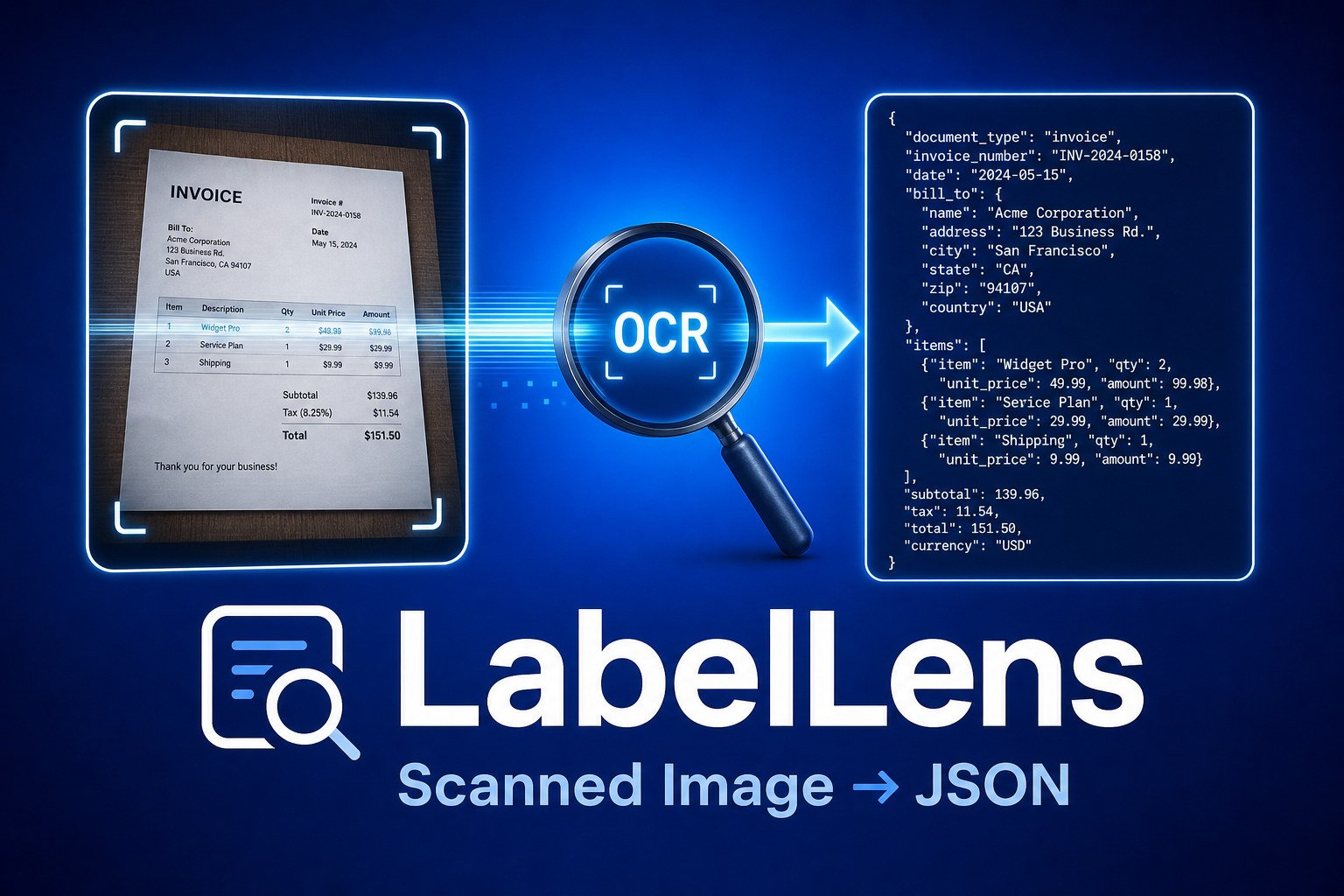
LabelLens is an **AI agent as an HTTP API**: snap a picture of a document, a label, invoice, receipt, expense report, shipping form, ID card, send it with a simple JSON "wish list" of fields, and get back **consistent, machine-readable JSON**. No free-form paragraphs to parse, no separate model per document type.
---
## Why it matters
| Pain | What LabelLens does |
|------|----------------------|
| Manual data entry from paper and photos | One API call: image in → structured fields out |
| Different documents need different parsers | You define **what** to extract per request (`response_schemas`), same service, every document type |
| Brittle regex on messy print | **OCR** handles the scan; the **LLM** interprets meaning and maps it to your schema |
| Vendor lock-in to one AI vendor | **OpenAI-compatible** API; point `LLM_BASE_URL` at compatible endpoints (Azure, proxies, self-hosted) when needed |
---
## How it works (in four steps)
1. **Upload** a document image (photo or scan) to the API.
2. **OCR** reads the text, **Tesseract** by default (no Google account required), or **Google Cloud Vision** when you need higher accuracy on hard photos.
3. You send **`response_schemas`**: a JSON description of the fields you want (names, descriptions, types, e.g. `invoice_number`, `total_amount`, `line_items`).
4. The **agent** fills those fields from the OCR text and returns **JSON** whose keys match your schema.
The agent reasons over **extracted text**, not raw pixels, so clear photos and readable print matter. Poor OCR fails fast with a helpful hint, before any LLM cost.
---
## Where it runs (deploy anywhere your stack lives)
| Environment | Role |
|-------------|------|
| **Local / dev** | Run with Python + `pip install`, or Docker, ideal for prototyping and integration tests |
| **Docker** | Single image with Tesseract bundled; pass `-p 8080:8080` and your `OPENAI_API_KEY` |
| **Google Cloud Run** | Stateless HTTP service; scale to zero, secrets via Secret Manager, see [README.md](../README.md) |
| **Private cloud / VPC** | Same container or `gunicorn`; keep keys and traffic inside your network |
| **Behind your gateway** | Put LabelLens behind API Gateway, Kong, Apigee, or your BFF, expose only `/image/analyze` and `/health` |
Default listen port is **8080** (configurable via `PORT`), aligned with common platform conventions (e.g. Cloud Run).
---
## Ways customers can use the agent
These are **patterns**, not limits, you combine HTTP + JSON schema per document type.
### By industry / workflow
- **Finance & accounts payable**, Invoice ingestion: vendor, invoice number, line items, totals, tax, due date. Drop the JSON straight into your AP system.
- **Expense management**, Receipt capture from employees: merchant, date, items, tax, tip, total, payment method, category guess. Feed it to your expense workflow.
- **Retail & logistics**, Shipping labels, waybills, SKUs, quantities, handling symbols for receiving and WMS integration.
- **Food & beverage**, Ingredients, allergens, nutrition facts, brand/SKU, country of origin for compliance and catalog enrichment.
- **Pharma & healthcare**, Medication names, strengths, NDC or lot/expiry where visible (always validate against regulated sources in production).
- **Construction & field service**, Drawing numbers, revision labels, safety/warning text, work order forms for traceability and audits.
- **HR / onboarding**, ID cards, certificates, forms, extract the printed fields without manual transcription.
- **Regulatory & QA**, Compare extracted document text to expected templates; flag discrepancies in downstream systems.
- **Research & field teams**, Capture document data offline; sync structured JSON to CRM, LIMS, or spreadsheets via your own glue code.
### By integration style
| Pattern | Description |
|---------|-------------|
| **Direct API** | Mobile or web app posts `multipart/form-data` with `file` + `response_schemas`; consumes JSON directly. |
| **Microservice** | LabelLens as a dedicated "document extraction" service; other services call it over HTTP inside the cluster. |
| **Batch / ETL** | Job runner feeds images from storage (S3, GCS); writes JSON to warehouse or queue for downstream ML or rules engines. |
| **iPaaS / automation** | Zapier, Make, or custom workers call the REST endpoint when a new image appears in email or cloud storage. |
| **Document pipelines** | Combine with existing OCR or routing, the core value is **schema-driven structured extraction** from text. |
### By customization level
- **Schema-driven**, Change `response_schemas` per document type or tenant; the built-in prompt handles extraction.
- **Model routing**, Tune `LLM_MODEL`, temperature, timeouts; use `LLM_BASE_URL` for Azure OpenAI–compatible or self-hosted gateways.
---
## What to tell stakeholders
- **Product**: "We don't sell a black-box document SKU, we sell **your fields**, from **your images**, on **your infrastructure**."
- **Engineering**: "REST + JSON schema + Docker; OpenAI-compatible LLM; optional Google Vision for OCR."
- **Security / ops**: "Run in your VPC or Cloud Run; keys via env/secrets; no requirement to send images to third parties beyond your chosen LLM and optional Vision provider."
---
## Next steps
- **Technical setup**: [README.md](../README.md)
- **Try it**: `GET /health`, then `POST /image/analyze` with sample schemas under `samples/schemas/` (`invoice.json`, `receipt.json`, `food.json`)
---
*LabelLens, structured intelligence from every document.*